AI-assisted web reading and annotation
Understand complex pages without losing context
Extract key points, explain terms, create structured annotations beside the source, and pick up where you left off.
Chrome, Edge, and Firefox · Core annotation stays free
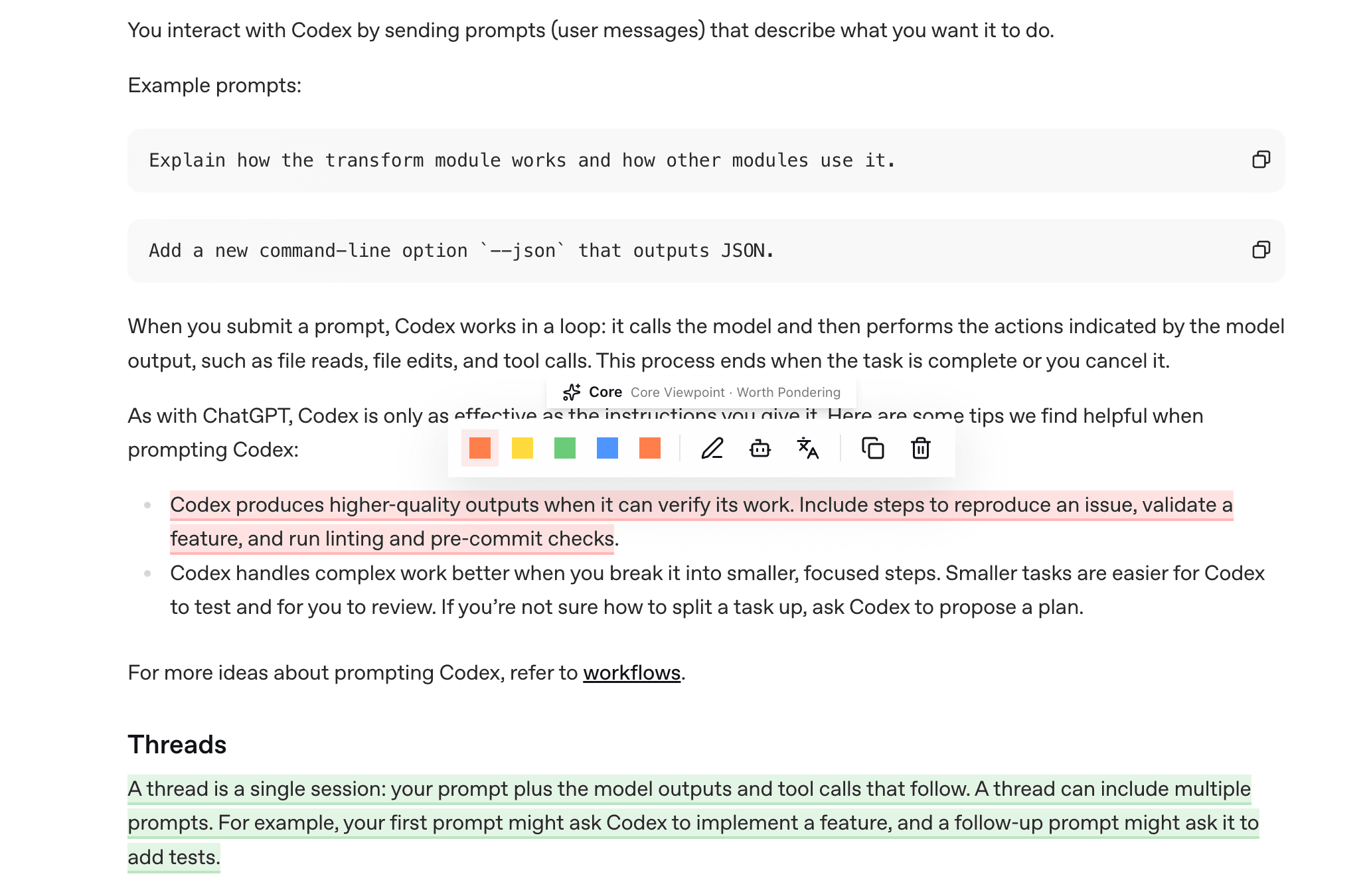
From page understanding to connected review
AI analysis, public annotations, structured notes, and connected review built around the page in front of you.
Understand and annotate
Understand the page, then record the passages and judgments that matter.
01
AI page analysis
Extract page structure and key content, explain terms, and ask follow-up questions grounded in the current page.
02
Public annotations and reader perspectives
Review public annotations and thoughts on the same page for additional evidence and different viewpoints.
03
Structured annotation
Mark key points, questions, insights, and judgments while preserving the original context.
Organize and revisit
Resume later, reconnect related content, and move your data when needed.
Connected review
Connect annotations and thoughts by page, topic, and entity so related material is easier to revisit.
Reading continuity and position tracking
Keep your reading position and key passages so you can quickly recover context when you return.
Data export and migration
Export annotations, thoughts, and documents for backup or use in other knowledge tools.
Build a web reading workflow in three steps
Install the extension and open a page
Use SparkColors directly in technical documentation, research materials, and long-form content.
Get the page structure and key content
Use AI to extract key points and explain terms, then compare public annotations on the same page.
Annotate, resume, and review
Record key passages and judgments, resume later, reconnect related material, and export your data.
Keep clear context while reading complex pages
Use AI page analysis, structured annotation, and position tracking to reduce repeated reading and tool switching.
Add to Chrome